

Best Phones for 10 Year Olds?
What If They Didn’t Need One?
Your child is out playing with friends. No phone. No smartwatch. No GPS tracker. Nothing to carry, charge, lose or forget.
Just a child being a child.
Then something changes.
The football game finishes early. Their friends head home. Perhaps they’ve fallen off their bike, missed an agreed meeting time or simply want you to come and collect them.
They need to contact you.
But they don’t have a phone.
What if that didn’t have to be a problem?
We’ve spent years giving children things to carry
Search Google for the best phones for 10-year-olds and you’ll find plenty of recommendations.
Smartphones with parental controls. Basic phones without internet access. GPS watches with calling features. Trackers that allow parents to check their child’s location.
There’s certainly no shortage of technology designed to help families stay connected.
But almost every solution starts with the same assumption.
Your child needs something.
Something in their pocket. Something on their wrist. Something attached to their clothes.
And whatever it is, they’ll need to remember to take it with them, keep it charged and avoid losing it.
For many families, that’s perfectly acceptable.
But what about parents who don’t want their child carrying a device? Or children who simply want to head outside and play?
Until recently, the alternatives were largely limited to remembering a telephone number or asking someone else to contact home.
Now there’s another possibility.
What if your child was the key?
Imagine your child could identify themselves using something they’ll never leave at home.
Their own identity.
Not a phone number. Not a password. Not a device.
Their name and their face.
That’s the thinking behind My Home Call, a UK-developed service that offers a different approach to staying connected.
Instead of depending on a phone your child owns, My Home Call allows them to contact their saved trusted people using someone else’s smartphone.
And the clever part?
The child doesn’t need to carry anything.
No phone. No smartwatch. No tracker. No emergency contact card.
Their identity is the key to accessing their trusted contacts.
How does My Home Call work?
It’s surprisingly straightforward.
A parent or guardian downloads My Home Call, creates an account for their child and saves the details of the person they want their child to be able to contact.
That’s the preparation done.
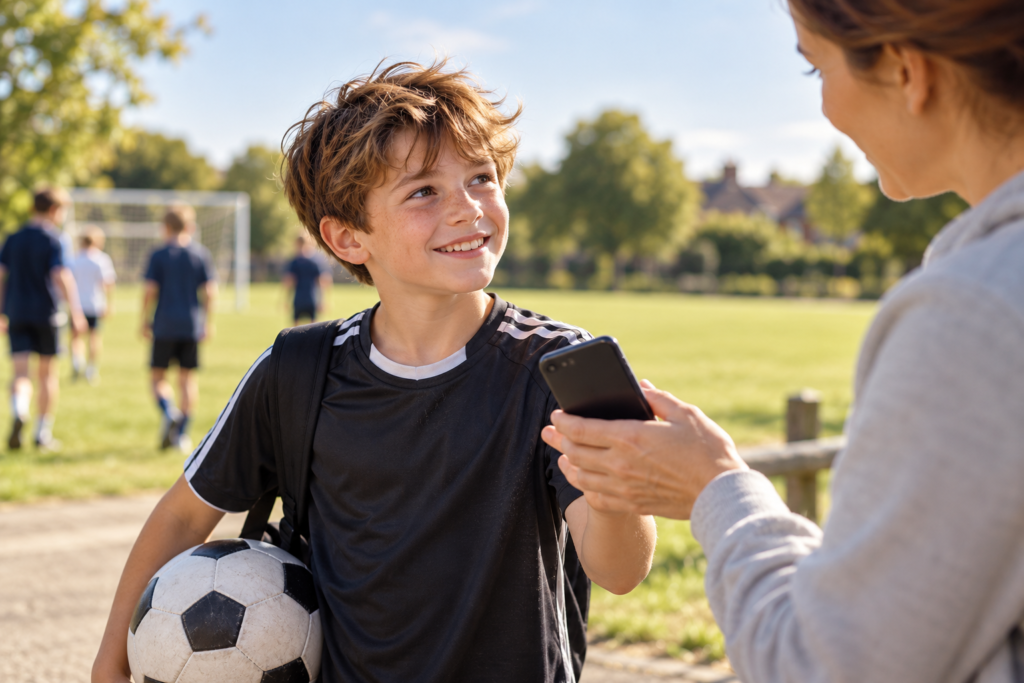
Now imagine your child is out playing football and needs to come home.
They approach a responsible adult, perhaps a friend’s parent or someone helping at the local sports club, and ask to use their smartphone.
With permission, they can:
- Open myhomecall.com on the borrowed smartphone and select Identify me.
- Enter their name and complete a quick face scan.
- Access their saved trusted contact and make a call or send a pre-written message.
There’s no My Home Call app to download onto the borrowed phone.
No telephone number to remember.
No password to type.
And importantly, the child’s saved contact details aren’t displayed on the borrowed smartphone. No personal information, contact details or call history from the My Home Call session is saved on that device. Once the session ends, no personal data is left behind.
If they choose to send a message, it can include their what3words location, helping their trusted contact understand exactly where they are.
The whole idea is simple.
Your child might not have their own phone, but they still have a way to reach you.
It’s not about tracking children
There’s an important distinction between My Home Call and many children’s safety devices.
GPS trackers and smartwatches are often designed to help parents monitor where their children are.
My Home Call takes a different approach.
It’s about giving someone the ability to reach their trusted contacts when they need to.
It doesn’t continuously track children, and it doesn’t require them to wear or carry anything.
There’s no physical product for your child to lose, damage or forget.
Of course, My Home Call needs access to another person’s working, internet-connected smartphone, and the child’s account must have been set up beforehand.
It won’t replace every benefit of having a personal phone, and it isn’t a substitute for seeking immediate help in an emergency.
But it provides something fundamentally different.
A backup way to communicate that isn’t tied to a device your child owns.
Does a 10 year old really need their own phone?
That’s a question only parents and families can answer.
Some children are ready for smartphones at ten. Others use basic mobile phones or smartwatches. Some families prefer their children not to have a personal device yet.
There isn’t one right answer for everyone.
But perhaps we’ve been asking the wrong question.
Instead of asking:
“What’s the best phone to buy my 10-year-old?”
We could also ask:
“What does my child actually need to be able to do?”
If the answer is to call home when plans change, ask to be collected or send a message when they need help, owning a smartphone isn’t necessarily the only option.
And that changes the conversation.
From the playground to the park
Think about how children spend their time.
Playing football with friends. Riding bikes. Visiting the local park. Walking to an after-school activity. Spending the afternoon at a friend’s house.
These are ordinary childhood experiences.
And sometimes children need to contact home.
My Home Call gives parents another option to prepare for those moments, without requiring their child to own a device.
Children should still know which responsible adults they can approach and what to do if a phone isn’t available. No single technology can guarantee they’ll always be able to communicate.
But knowing there’s another way to reconnect can make a meaningful difference.
And this isn’t just relevant to children without phones.
The same principle applies when someone with a smartphone loses it, breaks it or runs out of battery.
The device might be missing.
The person isn’t.
A different kind of child safety technology
My Home Call was created around a simple belief: your ability to contact someone you trust shouldn’t depend entirely on the phone you’re carrying.
For children, parents can set up a free account that includes:
- Voice calls to one saved trusted contact.
- Pre-written messages.
- what3words location sharing.
There’s no additional device for the child to purchase, charge, wear or carry.
And parents remain in control of the trusted contact they save.
It’s not a replacement for every phone, watch or tracking device.
It’s an alternative way to stay connected that starts with the person, rather than the technology in their pocket.
The person is the key. Not the device.
We’re surrounded by technology designed to make communication easier.
Yet we’ve become so dependent on our own smartphones that losing access to one can mean losing access to the people who matter most.
My Home Call approaches that problem differently.
Your child doesn’t need to own a smartphone to have a way to contact home.
They just need to be themselves, have an account set up in advance and be able to access a suitable borrowed smartphone when they need one.
Because staying connected shouldn’t always depend on what you’re carrying.
Not ready for their first phone?
My Home Call gives your child another way to reach the people they trust, without needing a device of their own.
Free to get started. Nothing for your child to carry.
Discover My Home Call — Before Their First Phone →
My Home Call — Always a Way Home.